Users no longer requiring access
As an administrator for your organisation, please ensure the following steps are followed when a user is leaving the organisation, or no longer needs access to Claims Portal Ltd.
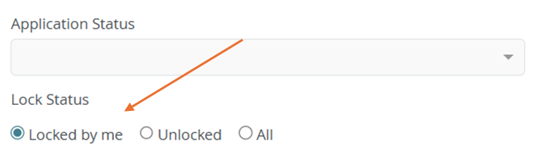
- Ensure the user has reviewed their own cases and unlocked all claims that show as ‘locked by me', as shown below.
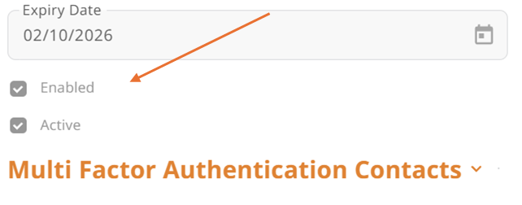
- As the Administrator you will need select 'edit' on the relevant user, then ‘disable’ the user’s account. This can be completed by any enabled and active administrator at the organisation.
-
If the users account is showing as 'active' but not 'enabled', you will need to re-enable the account to then remove the active flag as per the previous bullet point.
